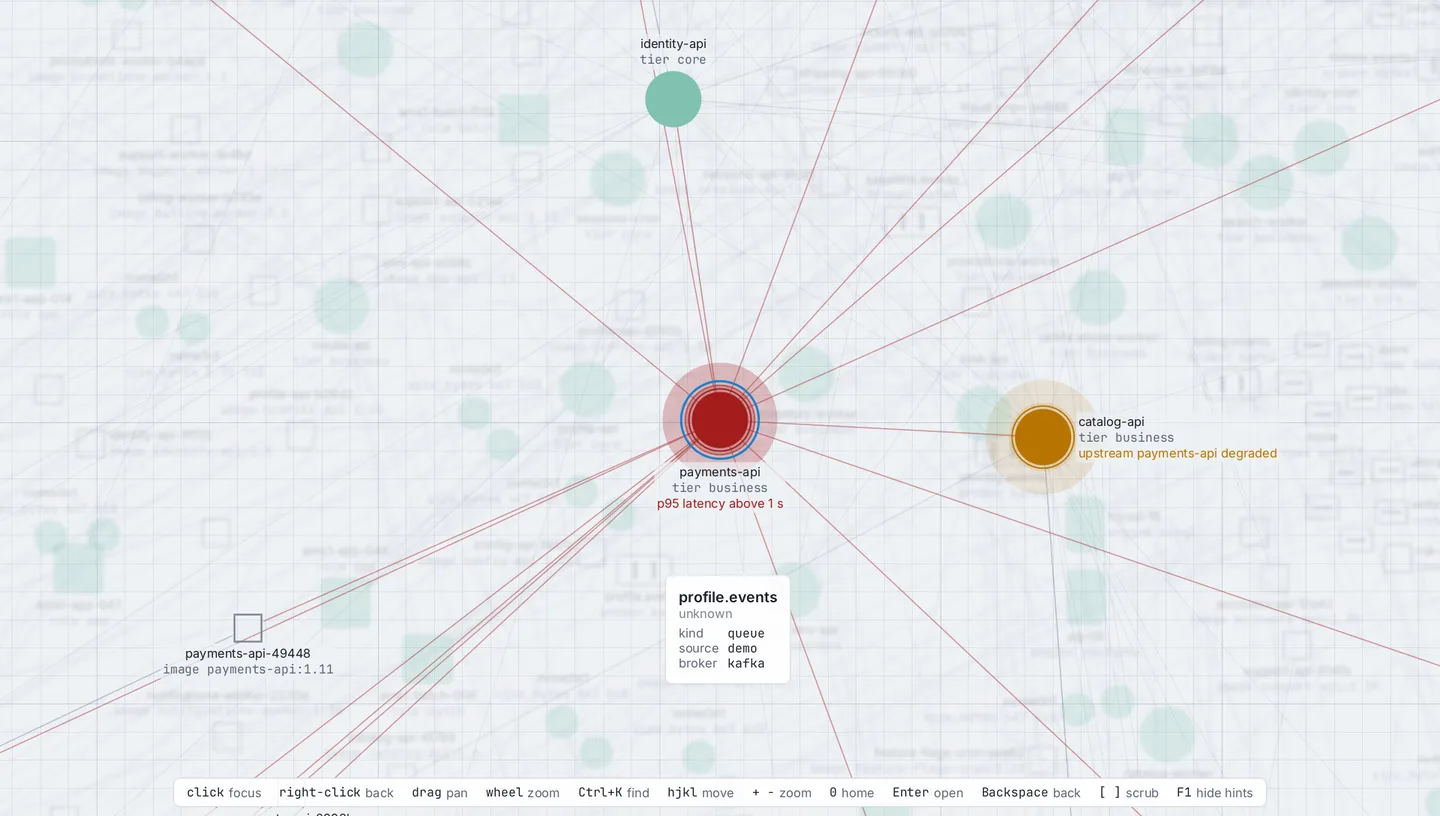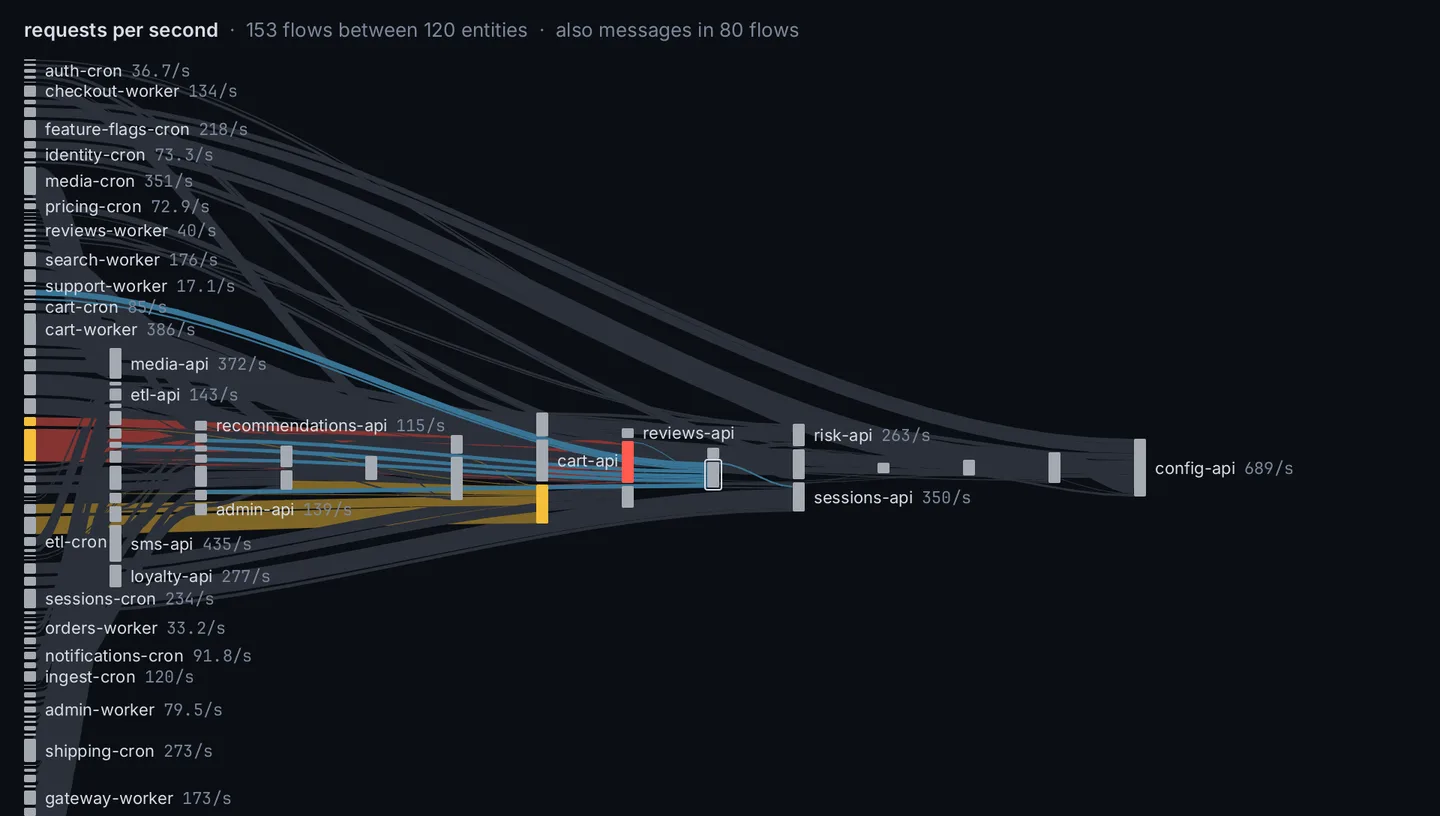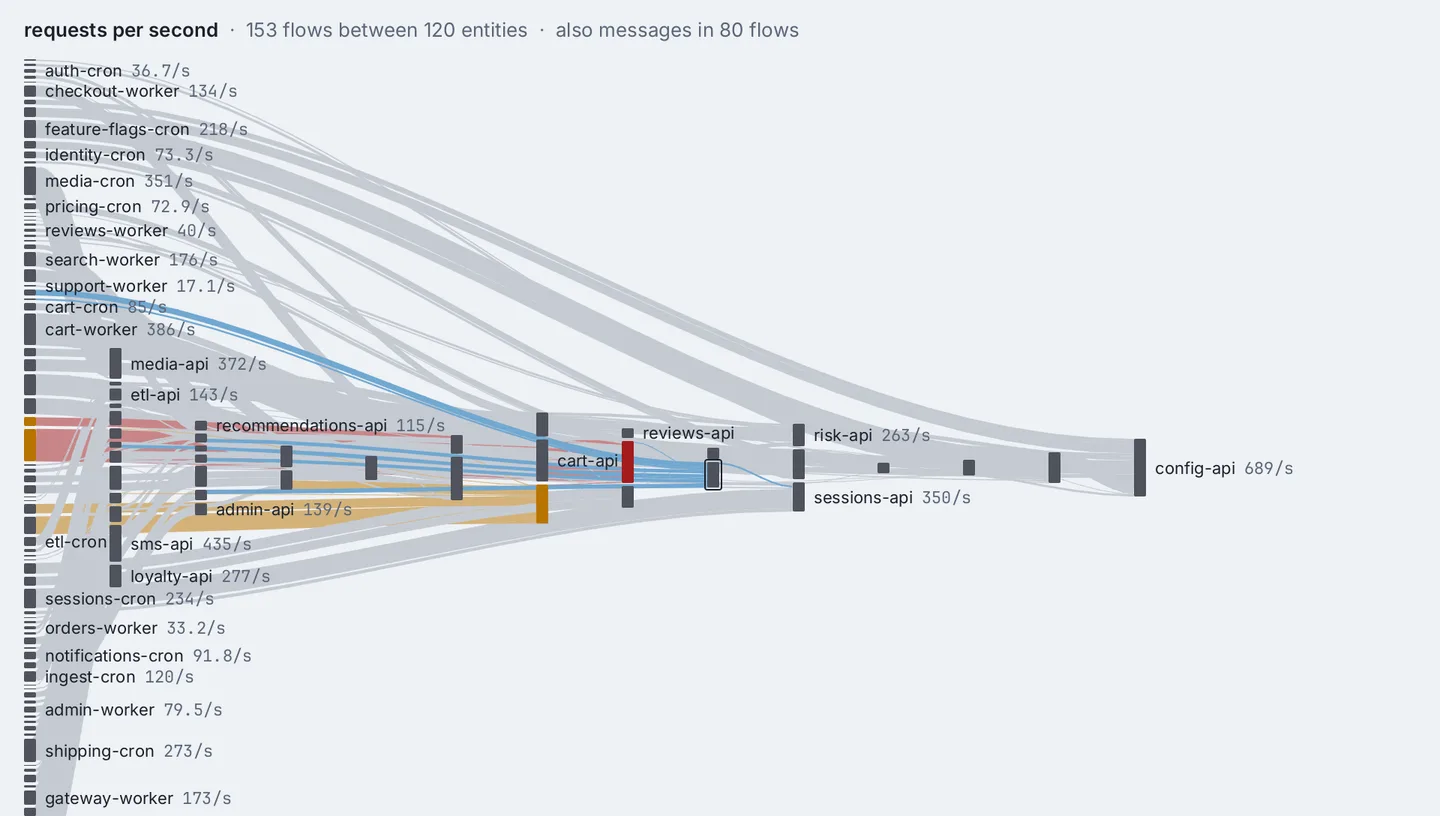
Topologya generated cluster · 7,085 entities · 41 namespaces · 40 nodes · 5,575 pods · 150 in warning

Wayseer pre-release native desktop Linux, macOS, Windows

Your systems, as one world you move through.

A native desktop app for the person at the keyboard when something is wrong. Hosts, services, databases, queues, their links, their metrics and their events, read from Prometheus, Kubernetes, SQL, files and the machine it runs on, drawn as one world. Keyboard-first. No server, no browser engine, no telemetry.
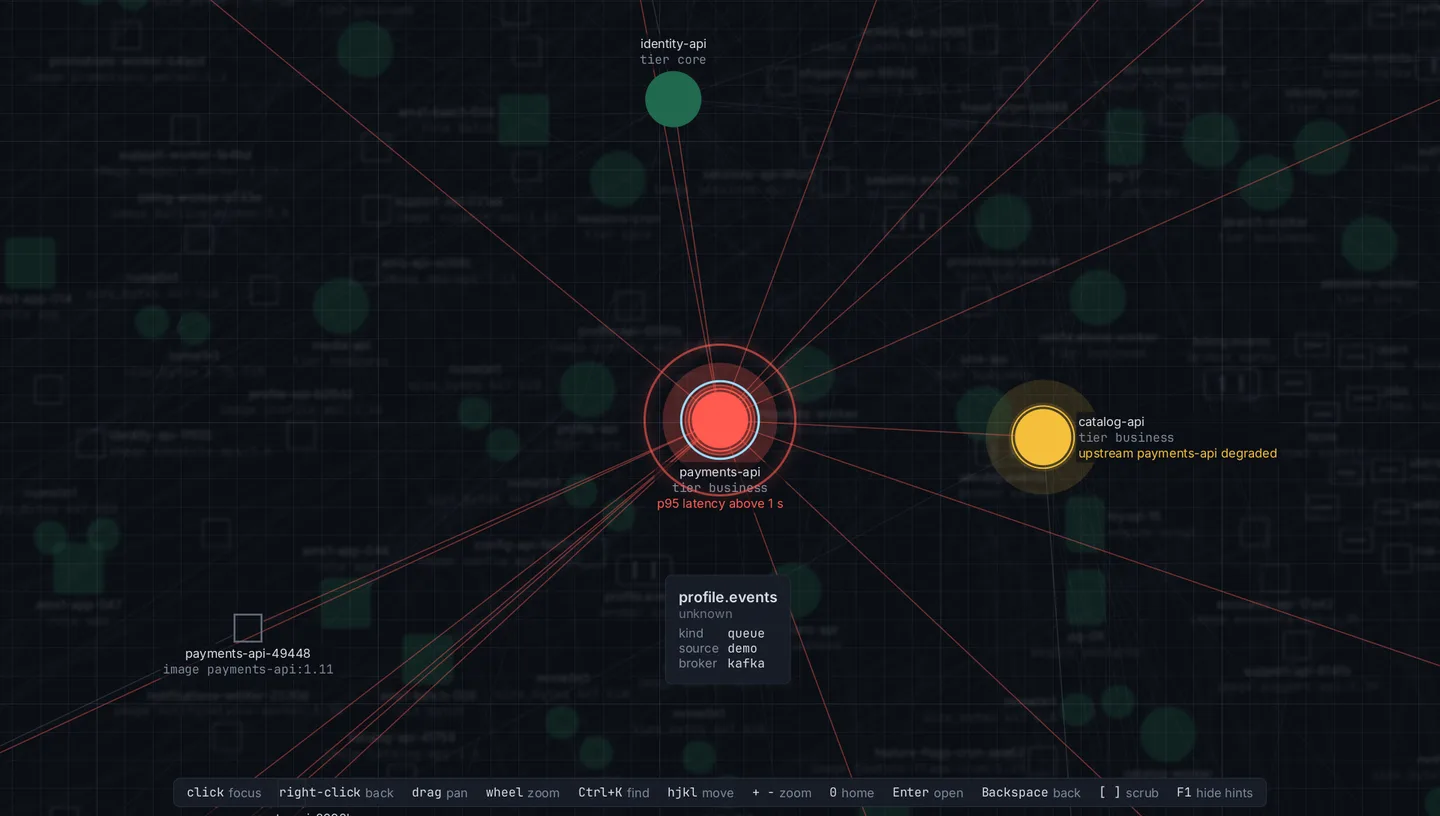
Every on-call shift asks the same three things: what talks to what, what happened when, and which of 400 hosts. Wayseer answers them in one window instead of four tabs.

This page is that window. The strip along the bottom is real: / finds anything, [ ] scrub time, Backspace goes back, j k move between places. Or just scroll. If one-letter keys get in your way, keys on in the strip turns them off.

Timelinepayments-api and neighbours · 13:00 – 16:30 · 31 Aug · a session you drive

14:04 · incident opened

Checkout payments are slow. Find why.

The demo's recorded afternoon of 31 August, as the app replays it. Six facts make the case. You find them by scrubbing time and following the links; the page only ticks them off. Nothing here is narrated first.

  1. 13:48payments-api deployed 3.8.0
  2. 14:00p95 0.135 s → 2.45 s; alert p95 latency above 1 s
  3. 14:02payments-worker, payments-cron, catalog-api warn upstream degraded
  4. linkpayments-api depends on pg-11
  5. linkpg-11 runs on ams1-db-011: CPU 95.6% at 14:00, 97.6% at 14:45, after 14–17% all day
  6. 15:05rolled back to 3.7.2; 15:30 resolved, p95 under 300 ms

next Scrub forward: press ] or drag the time bar at the bottom until 13:48.

ten moves, a second and a half apart · any key stops it
Timelinepayments-api and neighbours
web · reconstruction demovalues every 15 min, from the recording

Reconstruction: the lanes, marks and Detail are drawn in your browser from the demo's own files, sampled every fifteen minutes. The app draws them natively, at every sample the source has, with the motion and depth this sketch leaves out.

Lensesnine ways to look at one world · 1 – 8, c

Switch how you look. Keep where you are.

A lens is a way of looking at the same world. A bar across the top names each one with its key and marks the one showing; press the key or click the name. Switching keeps the focus, the selection, the filter and the time window, and Backspace returns to the lens before. Status is light and shape: quiet when healthy, one ring when degraded, two when failed, so nothing depends on color alone.

Sessionsthree more shifts on the demo world · click a step, or ← →

The incident was one afternoon. Here are three others.

Every name, number and event below is in the demo's files: 400 hosts in Amsterdam, Ashburn and Singapore, 120 services owned by eight teams, 60 databases, 40 Kafka queues, 800 disks. The panes are reconstructions of the app's lenses.

Palettefind, filter, ask · every line below runs on this page

One line does most of it.

Ctrl+K opens the palette. Type to find entities, commands and places at once; the best match is selected, Enter acts, Esc closes. With nothing typed, Enter does nothing, so a habit cannot fire a command. The prefixes below are the app's; this page answers them too, so try them here.

nothing
finds entities, commands and places
>
commands only:
@
bookmarks, then recent places
/
the filter, applied to every lens:
?
asks the language model

Answered without a model

Plain lines the palette handles itself, with nothing sent anywhere.

  • · last 2h · since 09:00 · load1 > 4 · compare with yesterday

Time

Every lens shows one window, named in the time bar: live 15m follows the clock. Ctrl+T then 1–5 for 15m, 1h, 6h, 1d, 7d; [ ] scrub a quarter of the span, { } a whole one; Ctrl+T n goes live. Drag the bar with the mouse. Any span from the palette: >time.last span=2h until=2026-09-26T03:00:00Z.

Places

Each focus, lens switch, filter and bookmark visited is a place in history. Backspace goes back, Shift+Backspace forward; so do the mouse's side buttons. A bookmark keeps lens, camera, focus, filter and window; a live window stays live. >place.export file=~/team.yaml writes bookmarks to a file a teammate imports; an import never loses one of your own.

More than one window

Ctrl+Shift+N opens another window over the same world: Geo on one monitor, Topology on the other. Each keeps its own lens, camera, focus and filter, and draws at its own display's scale. The selection and the time bar are shared, so a host Shift-clicked in Geo is ringed in Topology. >window.follow has one window fly to the other's focus. The windows open at quit come back at the next start. One window is free; more need a license key.

Ask, with a model

With a model configured and a license key, ? takes a question. The model answers by moving the view: it picks the lens, filter, metric and window that show the answer, then says what they show in a panel (Ctrl+J). Providers: Anthropic, Ollama (a local model), OpenCode Zen, Google Vertex AI.

  • Sent: the lens, focus, selection, filter, window, up to 50 entities in view, and metric names. Never the config, a secret, or who you are.
  • Read-only tools; it moves the view only through the app's own commands.
  • confirm: true asks before each move; local_only: true refuses any model not on your machine or network; every request is logged locally, keys stripped.

What changed while you looked away

Status moving to or from warn, entities appearing or going, events of warn and above: grouped within ten seconds, named in the status bar, listed with w. Try it in the incident at 14:04.

Merged entities

Prometheus scrapes db-07:9100; the inventory lists db-07.lan. Identity rules link them, and the lenses show one node with the worst status of any member, marked 2 sources. >view.merge shows them apart.

Themes and keys

Dark, light and high-contrast themes follow the desktop's appearance, contrast and reduced-motion settings; so does this page, unless you pick light or dark with the switch at the right of the strip below. Every built-in theme meets WCAG contrast and keeps the status colors apart under the three common forms of color blindness. Every key can be rebound.

Actionsit reads by default · a change runs only on Y

It can change things now. Only what you allow, and only when you press Y.

A source may offer actions on its entities: Kubernetes restarts and scales deployments and deletes pods; Prometheus silences an alert in Alertmanager. None is offered unless your config lists it for that source. Focus an entity and press a, or type scale payments-api replicas=6 in the palette, and the confirm panel says what runs, on what, through which source, and what changes. Y runs it; N or Esc declines. Enter does nothing there, so a habit cannot confirm.

  • The language model can propose an action. Only you can run it.
  • Every proposal is logged, run or declined, with who proposed it: you, the model, or a control client. >actions.log lists the last 20, and the Timeline marks each outcome.
  • One action runs at a time. The status strip says what is running, then how it ended.

Other programs, and AI agents

A local control socket, off unless your config turns it on, lets a script move the view and read what the model can read. wayseer mcp offers the same to any agent that speaks the Model Context Protocol. An agent can focus a host or propose a restart; the restart still waits for your Y. The socket is a file only you can open, and nothing listens on a network port. Control and MCP need a license key; without one, the socket refuses every request and says why.

Sources, while it runs

A click on a source in the status strip turns it off or on, and it stays that way next time. A source waiting on a license key shows as locked, and a click on it opens >license. Save the config file and the app reloads it, restarting only the sources that changed.

An illustration. The demo world reads files, so it offers no actions; this is the panel a Kubernetes source named prod shows. Try ← →, then Y or N: this page runs nothing.

Sourceswhat it reads · and the few things it may change, when you allow them

The core never knows what Prometheus is.

It knows entities, links, time series and events. Modules translate, and every one of them is built into the one program: nothing to install beside it, nothing to keep in step. The status strip shows each one's freshness: live, stale, error, or disconnected. A click there turns a source off or on.

files built in
CSV, TSV and JSON turned into entities, links, metrics and events by a mapping in the config. Reads the files again when they change. The demo world is made this way.
this machine built in · Linux, macOS
The host Wayseer runs on: CPUs, memory, disks, filesystems, interfaces and processes; on Linux also systemd units with their dependencies, and the journal as events. No privileges needed. roadmap: Windows
prometheus built in
Every scrape target grouped by job, every metric the server describes, and Alertmanager's firing alerts on the entities they are about. Your own queries can add metrics to entities other sources found, such as pods, and traffic between them for Flow. A service graph from Tempo or the OpenTelemetry Collector shows your services calling each other in Flow and Topology, from config alone, and the guide has ready configs for MySQL, Redis, MongoDB, Kafka and Netdata exporters. Offers: silence an alert. Credentials from a file, a variable or the keyring; never the URL.
wayseer built in
Its own health: frame time, memory against its limit, the event bus, and the state of every other module, so a source that shows nothing tells you why.
proxmox built in
A Proxmox VE cluster's nodes, virtual machines, containers and storage, each guest on the node it runs on, with CPU, memory, disk and network for each, and nodes placed in Geo by the zones you give them. A guest that migrates shows as one move. Offers: start, shut down or reboot a guest. Signs in with an API token from a file, a variable or the keyring, checks the cluster's certificate, and trusts a self-signed one only through a file you name.
kubernetes built in · needs a key
Nodes, namespaces, pods, services, deployments and replica sets, linked as the cluster links them. Connects the way kubectl does, exec plugins and OIDC included, and reads no kubeconfig until a source names a cluster. Offers: restart or scale a deployment, delete a pod; the cluster's own permissions still apply. Needs a license key.
sql built in · needs a key
A SQLite or Postgres schema with foreign keys as links, plus your own queries on an interval as metrics or events. Every statement runs read-only. Needs a license key.
yours SDK public
The Go SDK and a starting template for a module of your own are public, on wayseer.dev. The app runs your module as a program beside it and restarts it if it fails. It needs a license key: Wayseer certifies your signing key, and a module you sign runs under your license; how to ask for that certificate is coming. A module whose source is public can go to the marketplace, where Wayseer builds it the same way every time and signs it; anyone can download it, any license key runs it, the app updates it when you press Y, and it is free. Every module carries a signed list of what it may do, and the app holds it to that list.
Authorhow it is made · one IT professional, with AI

Built by a working IT professional, with AI. Said plainly, because it is the point.

Wayseer is made by one person who has spent years on the receiving end of pagers, and who knows which questions a tool has to answer first and which flourishes it must not have. One of the project's recorded architecture decisions is titled, simply, "a tool, not a game".

It is engineered with AI assistance. The domain expert decides what "done" means, in writing, before a line is written; the AI does much of the writing of code, tests and documentation, fast. What keeps that honest is the process rather than either party: every phase is broken into small tasks with runnable acceptance checks before it starts; tests come first for pure packages; lenses are checked against scripted sessions and draw-command snapshots; the renderer against golden images at 1×, 1.5× and 2× scale; and anything that changes what you see updates the user guide in the same task, with the key and command tables generated from the app itself, so they cannot drift.

The result is a small team's worth of software from one desk, with the judgement of someone who will be using it at three in the morning.

2,536
test functions in 526 test files across 93 packages, in the app, the SDK and every module
3 OSes
every change is vetted, tested and linted on Linux, macOS and Windows; on Linux the real window is opened too, under a virtual display
8 linters
pinned, plus a rule that a module may import only the public SDK
28 phases
planned with acceptance criteria; phases 0–26 delivered, among them guarded actions, Flow, Geo, live control, a lens bar, Topology at cluster scale, every module in one program, license keys checked offline, more than one window and service maps from Prometheus, a license gate for modules from others, signed module packages whose declared limits Wayseer enforces, a signed list that withdraws a bad module, quiet update notices, and a public Go SDK with a starting template, every module now built on its own against it, Proxmox VE, and a marketplace that builds and signs modules from others; next, updating the app itself
12 decisions
recorded with their reasons: native Wayland and X11 through SDL3, a draw-command layer between scene and GPU, two tiers of modules, YAML config with secrets referenced never stored, language only through commands, a tool not a game, an integrated GPU as the performance reference, guarded actions, license keys checked offline, modules from others only when licensed and signed, update notices that are quiet and never install themselves, Proxmox VE as a free module over a client written by hand
budgets
frame times per lens checked by benchmark on a reference iGPU machine, a 10,000-entity stress estate from the same seedable generator as the demo, and a generated 7,000-entity Kubernetes cluster that must lay out tidily in under two seconds
Installthe demo world in ten minutes · nothing to connect

Download, open, press 3.

  1. Install the package for your platform from the table. Each one holds the one program, every module built in, and the library that opens the window; nothing else is needed.
  2. Get the demo world: a config file and a dozen CSV files describing the made-up company. pre-release: the demo world is not yet bundled with the packages
  3. Open it on the demo: wayseer --config demo/config.yaml. On a Mac the program is inside the app at Contents/MacOS/wayseer; on Windows, wayseer.exe takes the same flags.
  4. Then 1–8 or the bar across the top switch lenses, click an entity to focus it, Ctrl+K finds anything, / filters, Ctrl+T 1–5 set the window, F1 hides the hints, Shift+F1 shows the tour, Ctrl+Q quits. The sessions above are the walk the user guide takes.
  5. Your own systems: run wayseer with no flags and it writes a default config and opens on this machine. Add a Prometheus, Proxmox VE, Kubernetes, SQL or file source to the config, and save it: the app reloads it while it runs. Secrets are named, never stored: a file, an environment variable or the system keyring.
Packages
LinuxAppImage or tarball. Wayland or X11, any distribution since 2020. About 19 MB. The primary platform.
macOS 13+One app for Apple silicon and Intel. About 38 MB. untested on a Mac so far
Windows 10/11An installer or a portable zip, x86-64. About 20 MB. untested on Windows so far
LicenseFiles, this machine, Prometheus and Proxmox VE free, in one window; Kubernetes, SQL, more windows, control, MCP and the language model with a key, checked offline. Pricing.
Noteswhat it is not · and what is on the roadmap

Straight answers.

Is it a dashboard builder?
No. Views are navigated, not authored on a grid. Twelve panels for a wall is a job for Grafana; this is for the person at the keyboard.
Does it store my data?
No. It holds a working set in memory and forgets it. Stale is shown as stale; unknown as unknown.
Does it alert?
No. It shows the alerts a source exposes, such as Alertmanager's, and tells you what changed while you looked elsewhere. It evaluates no rules.
Is it a web app?
No. One native program drawing through SDL3's GPU API with its own shaders, glyph atlas and springs. No Electron, no webview, no browser tab.
Does the model see my secrets?
No. Only the lens, focus, selection, filter, window and up to 50 entities in view. Every request is logged locally, and a local model with local_only: true never leaves the machine.
Can it change anything?
Only what you allow. It reads by default; an action is offered only if your config lists it for that source, and every one waits for you to press Y, whoever proposed it. How.
Does a license key call home?
No. A key is one line of signed text, checked on your machine, with no network. A paid key never expires: it covers every release built in its year of updates, and the version you have keeps running after that. The app's one request of its own is a daily fetch of a public, signed list of withdrawn modules and new releases, the same file for everyone, sent with no identifier, and your config can turn it off; and a download of a new release, only when you ask for one or turn it on. How long a key lasts.
Can an AI agent drive it?
Yes, with a license key and the control socket turned on: wayseer mcp lets an agent move the view, read and propose. It cannot run an action, and nothing listens on the network.

Roadmap

  • guarded actions · Flow · Geo · live control · delivered
  • a lens bar · whole clusters on one screen · one program, every module built in · delivered
  • license keys, checked offline · more than one window over one world · delivered
  • more sources through Prometheus: service maps from traces, recipes for common exporters · delivered
  • modules from others, licensed, signed and held to what they declare · delivered
  • a list that can stop a bad module · quiet update notices · delivered
  • a public Go SDK and a starting template for modules of your own · delivered
  • Proxmox VE, free · delivered
  • the marketplace: modules from others, built and signed by Wayseer, updated from the app · delivered, for Linux and Windows
  • updating the app itself: download, check, install on Y, undo · next
  • this-machine module on Windows · voice input
Releasepre-release · no list exists yet; the button opens your mail client

See your own estate this way.

Run the demo today. Point it at your Prometheus tomorrow. Say what it would take to earn a place on your second monitor.

web demo 1931 entities